


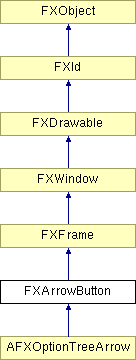
Button with an arrow; the arrow can point in any direction. When clicked, the arrow button sends a SEL_COMMAND to its target. When ARROW_REPEAT is passed, the arrow button sends a SEL_COMMAND repeatedly while the button is pressed.
Construct arrow button.
| Argument | Type | Default | Description |
| p | FXComposite | ||
| tgt | FXObject | None | |
| sel | Int | 0 | |
| opts | Int | ARROW_NORMAL | |
| x | Int | 0 | |
| y | Int | 0 | |
| w | Int | 0 | |
| h | Int | 0 | |
| pl | Int | DEFAULT_PAD | |
| pr | Int | DEFAULT_PAD | |
| pt | Int | DEFAULT_PAD | |
| pb | Int | DEFAULT_PAD |
Set the fill color for the arrow.
| Argument | Type | Default | Description |
| clr | FXColor |
Set the button state (where True means the button is down).
| Argument | Type | Default | Description |
| s | Bool |
Set tool tip message for this arrow button.
| Argument | Type | Default | Description |
| text | String |
Arrow style options
| ARROW_NONE | No arrow. |
| ARROW_UP | Arrow points up. |
| ARROW_DOWN | Arrow points down. |
| ARROW_LEFT | Arrow points left. |
| ARROW_RIGHT | Arrow points right. |
| ARROW_REPEAT | Button repeats if held down. |
| ARROW_AUTOGRAY | Automatically gray out when not updated. |
| ARROW_AUTOHIDE | Automatically hide button when not updated. |
| ARROW_TOOLBAR | Button is toolbar-style. |
| ARROW_SPINNER | Button is spinner-style. |