


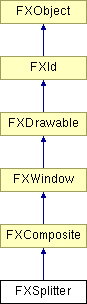
Splitter window is used to interactively repartition two or more subpanes. Space may be subdivided horizontally or vertically. When the splitter is itself resized, the right-most (bottom-most) child window will be resized unless the splitter window is reversed; if the splitter is reversed, the left-most (top-most) child window will be resized instead. The splitter widget sends a SEL_CHANGED to its target during the resizing of the panes; at the end of the resize interaction, it sends a SEL_COMMAND to signify that the resize operation is complete. Normally, children are resizable from 0 upwards; however, if the child in a horizontally oriented splitter has LAYOUT_FILL_X in combination with LAYOUT_FIX_WIDTH, it will not be made smaller than its default width, except when the child is the last visible widget (or first when the option SPLITTER_REVERSED has been passed to the splitter). In a vertically oriented splitter, children with LAYOUT_FILL_Y and LAYOUT_FIX_HEIGHT behave analogously. These options only affect interactive resizing.
Construct new splitter widget.
| Argument | Type | Default | Description |
| p | FXComposite | ||
| opts | Int | SPLITTER_NORMAL | |
| x | Int | 0 | |
| y | Int | 0 | |
| w | Int | 0 | |
| h | Int | 0 |